
What it does
Redact what you can see. Strip what you can't.
Scrub does two things to your images and PDFs. It helps you find the personally identifiable information (PII) in them so you can redact it, and it strips the hidden metadata that travels with the file. The redaction is real: Scrub destroys the underlying pixels and text, so redacted content is gone from the saved file, not covered by a black rectangle. Everything runs on your iPhone, using Apple's on-chip Vision engine for text and faces and on-device AI for names and addresses.
Drag the handle. Left of the line is the copy Scrub saves, right is the original file.
The page is only half the story. Hover or press and drag on the file to see it the way a computer does: raw bytes, with the patient's name sitting in the metadata as plain text.
Truly destructive
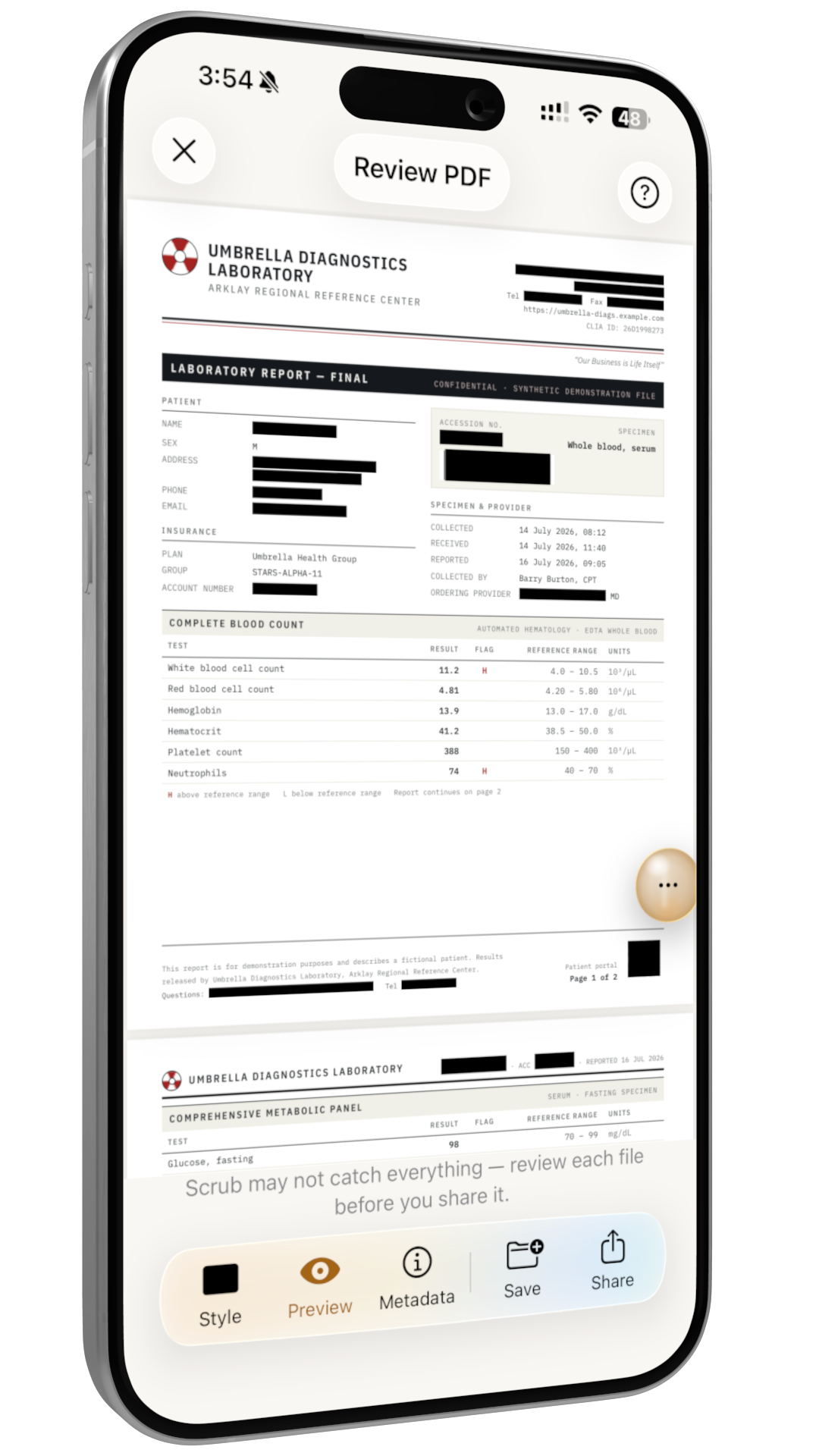
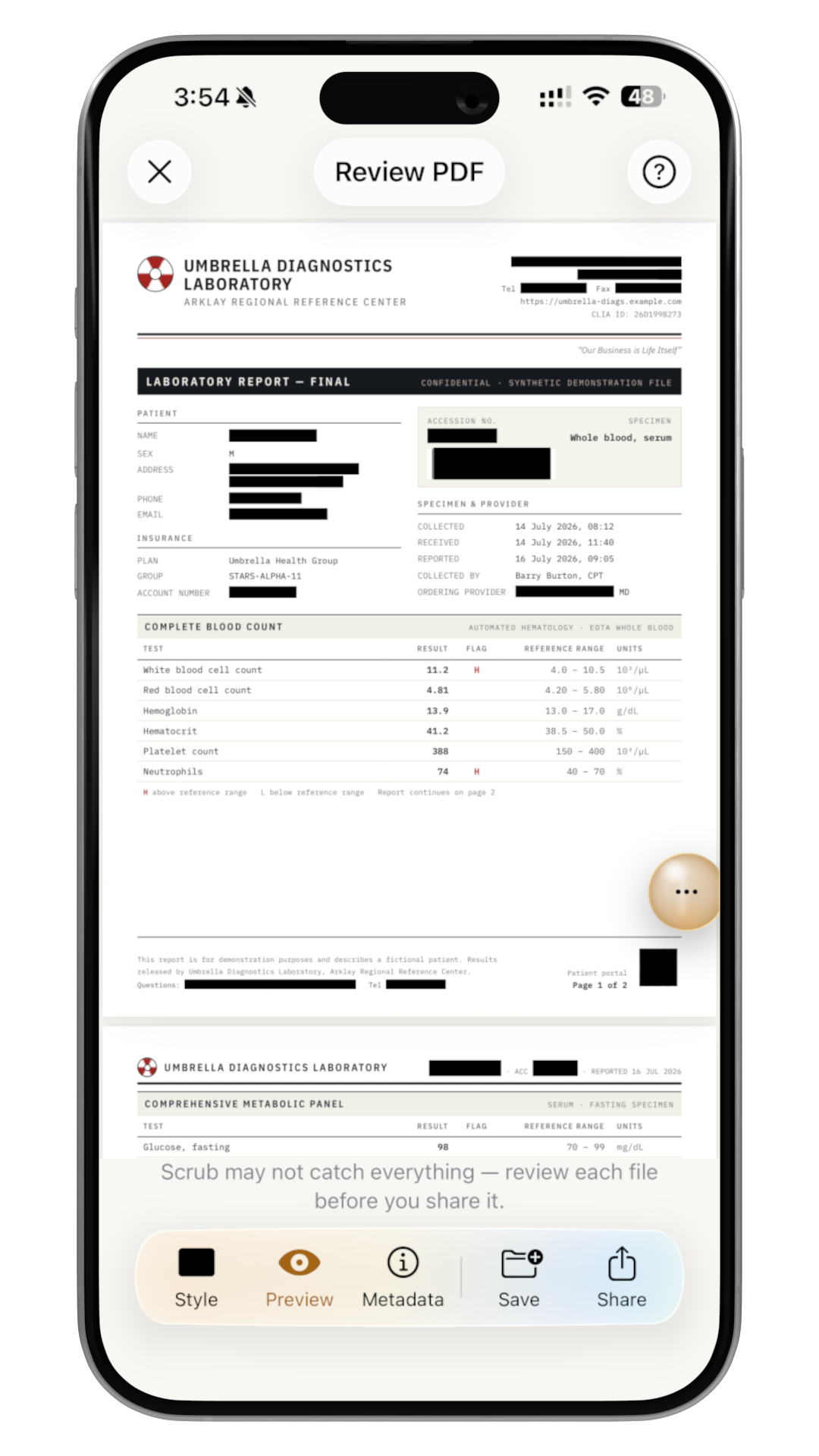
Black bars, Gaussian blur, or pixelation. Each one is applied by burning pixels, so the original text or face can't be recovered from the saved file.
On-device detection
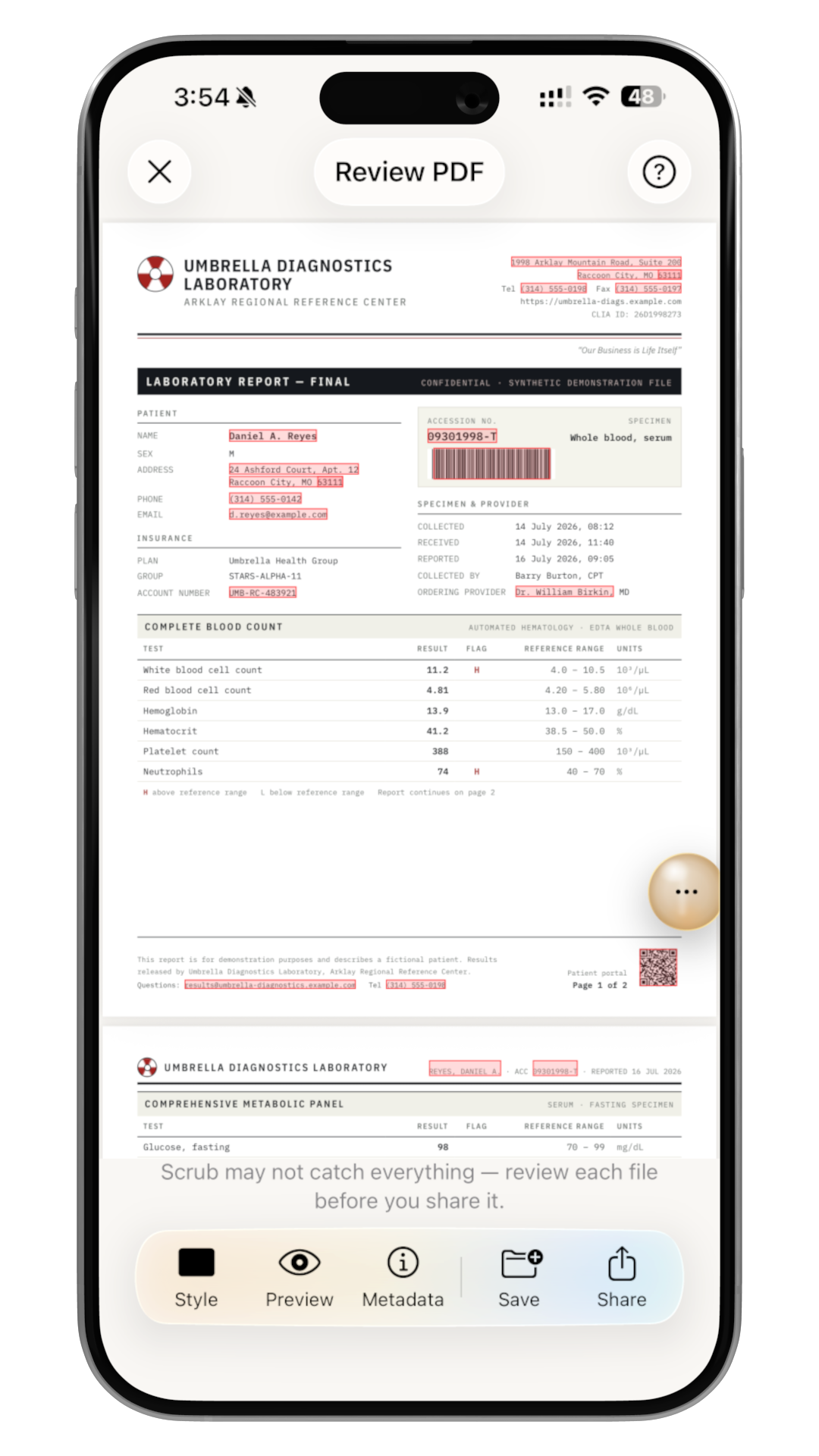
OCR reads the text, then on-device AI and pattern matching flag PII as red boxes you review before redacting: names, addresses, emails, phone numbers, card and account numbers.
Faces & barcodes
Detects faces and barcodes/QR codes too. Handy for IDs, tickets, and shipping labels that leak more than you'd expect.
Regional PII patterns
Checksum-validated patterns for the US, Canada, the UK, Australia and New Zealand: national IDs, tax IDs, and postal codes, chosen automatically by your locale.
Metadata stripped
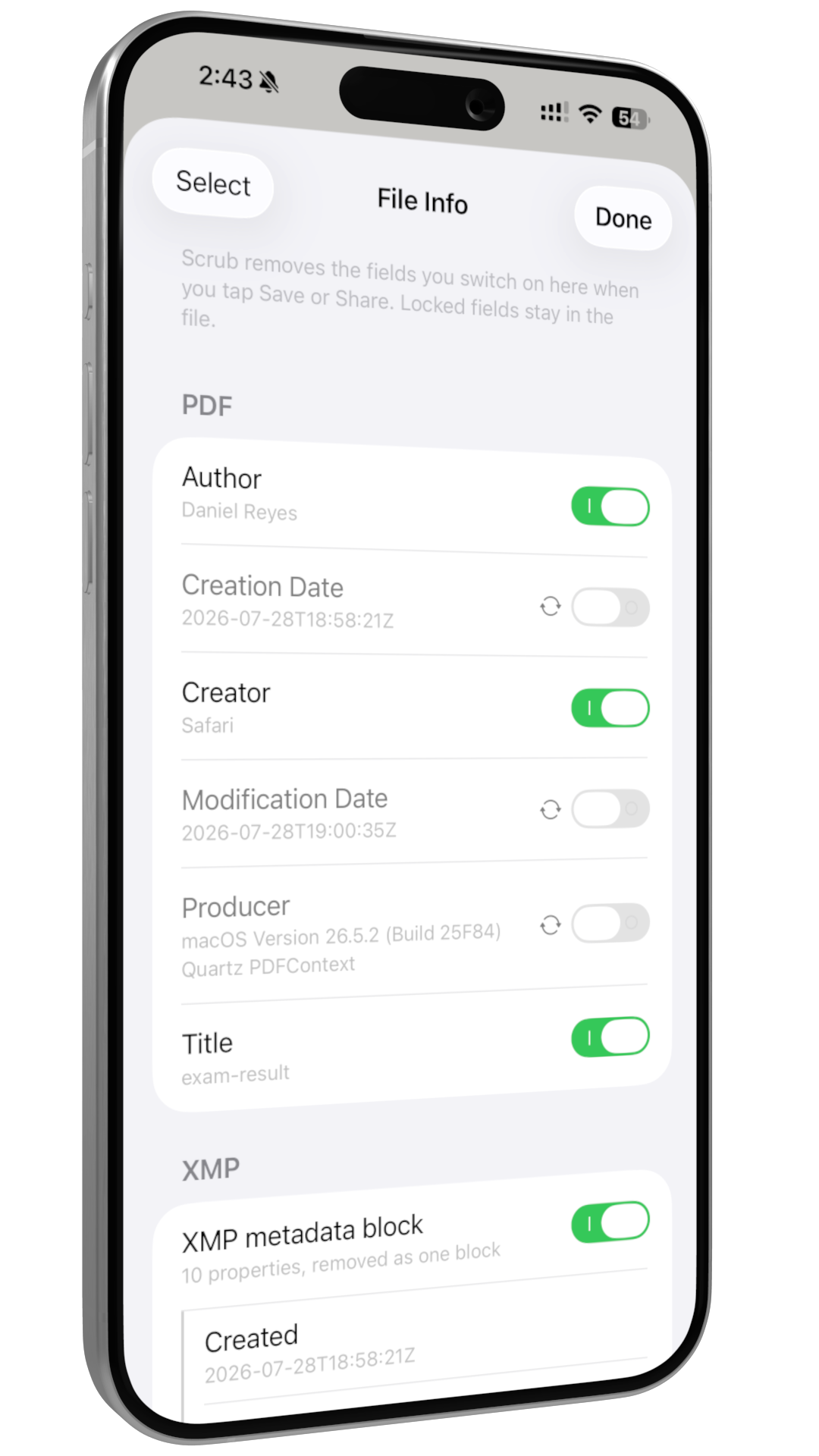
Images lose their location, camera serial numbers, editing history, and the hidden preview of the original. PDFs lose the author and title fields. None of it can be recovered from the file you share.
Custom terms & batches
Add your own sensitive terms (a nickname, employer, account label) for extra certainty on top of automatic detection, and process up to 10 files in one sitting.
How it works
Open, review, redact, share.
Open a file
Pick a JPEG, PNG, HEIC, TIFF, or PDF, or send it straight to Scrub from any app's share sheet.
Review the red boxes
Scrub shows every detection as an overlay. Tap to add, resize, or dismiss boxes. You stay in control of what gets removed.
Redact
Choose bars, blur, or pixelation. Scrub destroys the pixels and text underneath.
Share the safe copy
The original is never overwritten.
The whole point
Nothing leaves your device. We mean it.
Scrub exists so you can share a file without handing over the PII and metadata buried in it, whether you're sending it to someone else or uploading it to your favorite cloud AI. That only works if Scrub itself never phones home, so it doesn't.
- All processing is on-device. No file content is ever uploaded.
- There are no analytics, no telemetry, and no crash reporter that phones home.
- You never create an account or sign in, and Scrub doesn't track you across apps or sites.
- Your custom sensitive-terms list stays on your device and is yours to delete.